

At this point, you probably have an idea for a web application, a business productivity tool, a tool for collaborative connectivity, or an app to solve a specific problem. This idea will likely face a considerable gap, especially in technical gaps.
This will be your guide for web application development. We will teach you to break any complex development processes into doable tasks. You will learn the development processes, the functions of the individual components, the connections between them, and the steps to achieve a working web application from an abstract idea. No technical background required, just be ready to acquire new skills.
What is a Web application?
Let’s start with the definition. A web application is a software application that you use via an internet browser (Chrome, Safari, etc.). Unlike a static website, which displays information (consider the website of a restaurant), a web application is dynamic, and users can perform functions, change information, and receive customized feedback.

When you think of a web application, think of sites like Gmail, Trello, or online banking sites. You log in, perform tasks, and save information, which is tailored for you by the service. This is web application software. It lives in the cloud, as opposed to being downloaded and saved to the computer. It is more accessible than regular apps since you only need a web browser and an internet connection. Plus, you can access it from any device and don’t need to install any software.
Why Build a Web Application in 2025?
Given the popularity of mobile apps, you may be wondering why we still need web apps. In fact, for most cases, we need them more than ever, as they are more powerful and practical than ever. Web apps work seamlessly on any device, including computers, tablets, or phones. They are also easier to maintain, since you only have to update the software on your server, and all users get the most recent version.
Another thing to consider is that web apps have no gatekeeping, unlike app stores, so you don’t have to worry about users getting your app. They can also find it with a Google search. Unlike the past, modern web apps can also work offline, use push notifications, and have a smooth feel like a regular app. In 2025, developing web apps will be the best option for internal or user platforms. They are flexible, scalable, and reasonably priced.

What is Web Application Development?
Web application development encompasses the creation of interactive applications. This entails the development of both the visible user interface (frontend) and the concealed server logic (backend). It also entails setting up a database for information storage and retrieval, implementing necessary security measures, and making the application accessible via the internet. It is a multifaceted process, encompassing creating, programming, and advanced problem-solving.
The Key Components of a Web Application
To know how a web application is constructed, there is a need to understand its fundamental components. Every application, no matter how simple or sophisticated, is built from a combination of these components.
Frontend (The Client-Side)
In a web browser, everything a user interacts with on a web application constitutes the front end. In this case, the user interface layout, design, buttons, and information are displayed. Building the front end of a web application involves the use of three primary technologies. The first is HTML. HTML is responsible for the basic structure and content of the user interface, such as titles, paragraphs, and form fields. The second is CSS. CSS styles the content and controls the layout by determining the colors and fonts, and the arrangement of elements on the page. The third is JavaScript. Adding interactivity and creating the functionalities that allow the user interface to respond to user input, such as validating form input and updating information on the page without reloading.
In the current day, writing the three technologies from scratch is a rare practice among developers. They use frameworks and libraries such as React, VueJS, or Angular, which greatly enhance the speed and efficiency with which user interfaces can be created by providing pre-made components.
Server-Side (What Happens in the Background)
Every application has to have a server-side, also known as the back end or the engine room. It’s the part of the application that the user does not see. It’s that piece of code running on the web server. It takes requests from the front end (the part users see) and processes them through the application logic, and sends a response back. If you log in to the app from the user interface (the front end), you enter your username and password, and these details are sent to the back end. The back end then processes them against the database and, if they are correct, sends a response to the front end to display your dashboard. Backend development is done using Python, JavaScript (Node.js), Ruby, Java, or PHP. The back end is also responsible for the business rules, user authentication, data processing, and system security.
Every web application is required to have a hard drive where all data is kept permanently. This is known as a database. They keep information about user profiles, product catalogs, transaction histories, as well as configurations for the application. There are two major types of database systems. SQL databases like PostgreSQL or MySQL keep information in organized, well-structured tables. They are great for complicated queries and maintaining data integrity. NoSQL databases like MongoDB keep data in a more flexible, if not document-based, style. They are easier to scale horizontally and are a good fit for applications with changing or unstructured data. The decision between the two relies significantly on the data needs of your app.
APIs (Application Programming Interfaces)
You can think of an API as a restaurant waiter. As a customer, you place your order with a waiter (the API). The waiter takes your order back to the kitchen (the backend). The kitchen prepares the food, gives it to the waiter, and then the waiter brings it back to the customer. An API is a collection of protocols that allow two software systems to interact. The frontend of your software uses the API to interact with the backend to get information or to perform an action. Additionally, your software can also use other APIs to enhance your software without building the functionality, such as adding Stripe for payments or Twilio for SMS services.
Hosting and Deployment
Lastly, your application needs an online home. Hosting means renting from powerful, always-on computers known as servers. This is where your backend code and database remain, allowing your application to be used anytime. This is called Deployment, which is the action of transferring your completed code from your local development environment to your live production servers. This can be done with traditional hosting services, or modern cloud services like Amazon Web Services (AWS), Google Cloud, or Microsoft Azure, which are more scalable and use a pay-as-you-go approach.
The Process of Web Application Development
Developing a web app is not a process done haphazardly and without a plan. It is done using a certain methodology that prevents disorder and promotes quality and detail. The following is an example of such a methodology.
Planning and Research
For example, the Planning stage is the most important and the most deserved. Going into the coding stage without a roadmap is the quickest way to lose time and money. Here, it is important to state the problem your application will fix clearly, and for whom. Conduct research on the market and the competitors. Most importantly, identify your Minimum Viable Product. This is the most basic version of the app that provides value and can be tested by real users to gain feedback. This stage of the process should also include choosing your technology stack. This is the specific blend of programming language and tools, and the frameworks that will be used in the making of the app.

Drafting Your Web Application
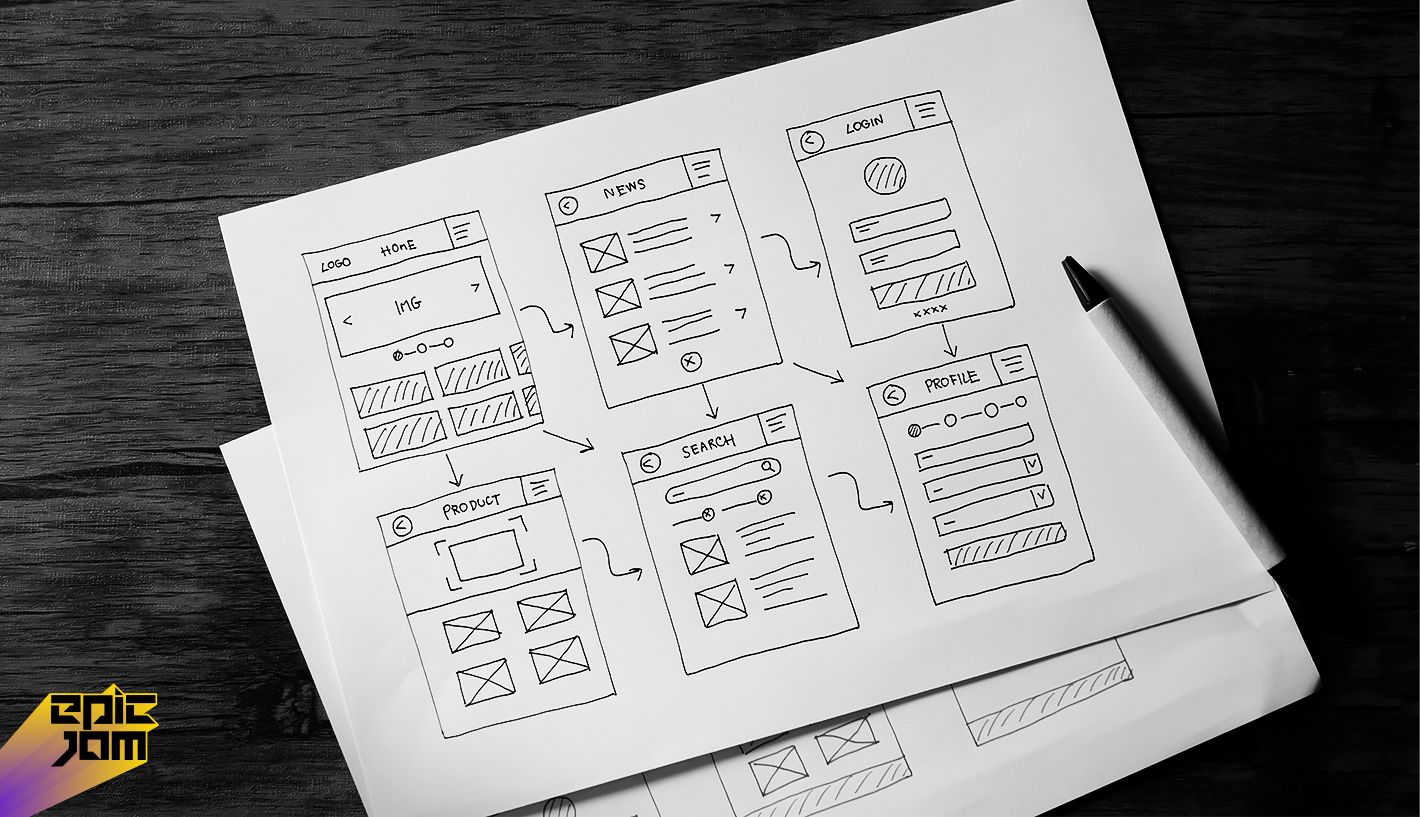
Designing encompasses both the visual and structural elements. It begins with wireframes, structural sketches, low in fidelity, outlining the user journey, and detailing each screen. Then, it proceeds to prototyping, where interactive mock-ups are built to simulate and demonstrate the app’s functionality. This stage allows flow verification and testing with actual users. Next comes UI/UX, where the visuals are added in the form of colors, fonts, images, and proper spacing to make the app functional and not only pretty but also kind to users and accessible. A design phase done correctly saves countless hours of rework in the later development phase.
Development Stage
Now is the time for actual coding, the execution phase of this project. It usually runs on two parallel tracks. On the one hand, frontend developers implement the design and build the user interface and the client-side logic. At the same time, on the other hand, backend developers set up the server, the application programming interfaces, the database models, and the business logic. These two teams need to sync and coordinate closely, the API being their contract. In modern teams, you will often find Agile methodologies in place, where work is divided into the form of small “sprints” to build, review, and tweak features in small, iterative steps.
Evaluating Your Program
Evaluating or testing the application prior to the launch is essential to the process and is a multi-step process consisting of verification of function, usability, performance, security, and device compatibility, among others. Each component of the application is reviewed to ensure that all buttons, forms, and features function correctly so that there are no missteps during the launch. Having customers test the application during the usability testing enables the team to validate that the application is easy to use and designed for the user’s intent.
Performance testing is essential to verify that the application meets the speed and stability requirements that the team scoped, in addition to being able to scale if there is a heavy user load. If the application being tested is working with or involves sensitive information, security testing becomes even more important. It is critical that all users of the application, regardless of device or internet browser, receive the same user experience.
Launch, Administration, and Support
With the launch comes the need for the application to reside in a destination where the live audience can access it. This means the application has to be moved from the test/staging environment to the live production environment. There are also a few administrative tasks that should be taken care of before launch, such as server configuration, domain setup, and the purchase of security (SSL) certificates to ensure the safety of the users. Just because the application is live to the public, this does not mean the work is done.
This is only the beginning of the maintenance period, where the performance of the application should be continually reviewed. There will inevitably be bugs discovered and security vulnerabilities that need addressing, in addition to planning for further growth of the app. Further development will be guided by user analytics in addition to the user feedback from the application.
The Direction of Web Application Development in 2025
A key to success in a rapidly evolving industry, such as web application development, is the ability to recognize and adapt to the constant flow of new tools and methodologies.
Current Trends in the Web Development Frameworks
The use of a framework is extremely common in software development. They enable devs to save time by using pre-built libraries to solve common problems instead of building solutions to the same problems over and over. In the front-end space, React (a library from Meta), Vue.js, and Angular rule the industry. In the back end, powerhouses are Next.js (which is React-based), Django (Python), and Laravel (PHP). They use industry-standard best practices and improve both the organization of the code and the time spent developing the software.
The Rapid Growth of Low-Code and No-Code Development
This change is especially prominent for novices and businesses. Low-code platforms provide visual development environments in addition to offering drag-and-drop components. They employ model-driven logic in a manner that reduces the amount of code that must be written by hand. No-code platforms go a step further by empowering non-technical users to develop functional software using only a graphical interface. They are especially useful for building internal tools and public applications of low visual complexity. Without a doubt, they allow organizations to develop, validate, and control processes without a complete development team. However, there are often challenges with systems with complex and/or massive custom logic.
Progressive Web Applications (PWAs)
PWA are a unique technology that allows users to experience web applications as if they were native mobile applications. They can be added to a user’s device home screen, offer offline functionality and work well on low-quality networks, and they can push notifications. For a lot of companies, creating a PWA is a better option than creating native apps on iOS and Android, as it is a single code base that can maintain a close to native experience. They can be found easily through web searches, so they bypass app store limitations.
Artificial Intelligence and Machine Learning Integration
Including artificial intelligence functionality is easily attainable and is a unique approach to add valuable features. Web applications in 2025 should be able to use artificial intelligence APIs to perform natural language processing (for chat and content analytics), image recognition, and advanced prediction to create custom recommendations and analytics. This way, even small applications can provide a valuable and adaptive experience that only large tech companies are able to offer.
How to Create a Web Application: A Concrete Action Plan
Are you ready to get started? Let’s take a look at a detailed, step-by-step action plan.
Step 1: Develop Your Idea and Objectives
Draft a sentence describing your app. Who is your target audience? What is the primary problem it addresses? Conduct potential customer interviews. Document the essential features, but be thorough in order to determine what features an MVP needs versus what additional features it can incorporate in the future. Dedicate your attention to setting specific, quantifiable goals for the first 6 months.
Step 2: Define Your App Architecture
Prepare a simple diagram to indicate the flow of information in your app. What information will users enter? Where will it reside? How will different modules and pages be interlinked? Determine the fundamental data models, such as User, Product, and Order. This will be your blueprint and will assist you in communicating with the developers.
Step 3: Determine Your Technology Stack
This is based on your app’s requirements, your team’s capabilities, and your financial resources. A JavaScript-focused stack is standard for newcomers and startups looking to go quickly: React on the client, back end in Node.js, and PostgreSQL or another database for the data. Examine community activity, hiring, and scalability. Don’t go with the most popular tech. Pick the best one for the task.
Section 4: Create the User Interface and User Experience Design
Developers need design documents for the implementation phase. Figma and Adobe XD are recommended for wireframing and high-fidelity prototyping. This design will correspond to the product requirements document specifications. Testing the design with potential users will reveal potential use problems at the lowest cost.
Section 5: Product Development and Getting the MVP
Measuring and learning should be the core adoption metrics for the organization. Developing and releasing must be centered around one service and the core value proposition to the customer. This will allow for lower costs and a greater ability to pivot from customer feedback to the organization’s product.
Section 6: Extensive Testing
A combination of testing methodologies and collaborative phases should be employed. Automated testing at the system and unit levels should cover mission-critical actions and processing. Manual testing of certain areas should be conducted to alleviate the potential for dysfunctional use and processing of the product system. User testing is a single phase of testing and should be done with a small target audience segment. Their feedback will be vital for further testing and product system development.
Step 7: Deployment and Launching
Finding a suitable hosting company will depend on your technical knowledge and company goals. If you’re a beginner, try using a platform-as-a-service like Vercel (for front-end) or Heroku (for full-stack) to make the deployment very easy. Make sure to include SSL/TLS (HTTPS) for security purposes. Before going full scale, do a soft launch to a small audience to see if everything runs smoothly.
Step 8: Feedback and Iteration
Your first attempt will not be a finished product, but it will be the basis for continued development. Consider using analytics tools to gain insight into the activity and behavior of your users. Make it easy for users to provide feedback and suggestions by using a simple in-app form or by creating a specialized email address. Use the feedback to prioritize the development of new features, as well as to improve the overall user experience by removing bugs and issues. And thus, development becomes an endless cycle of improvement.
| Category | Key Components | Technologies & Tools | Trends & Considerations |
|---|---|---|---|
| Frontend Development | User Interface (UI), User Experience (UX), Client-side logic | React.js, Vue.js, Angular, TypeScript, Tailwind CSS, WebAssembly | Component-based architecture, Progressive Web Apps (PWAs), Micro-frontends, JAMstack |
| Backend Development | Server, Application logic, Database, APIs | Node.js, Python (Django/Flask), Ruby on Rails, Java (Spring), Go, Rust | Serverless architecture, Microservices, GraphQL, RESTful APIs, Edge computing |
| Database Management | Data storage, retrieval, and management | PostgreSQL, MongoDB, Firebase, Redis, CockroachDB | Hybrid databases, Serverless databases, Real-time synchronization, Database as a Service (DBaaS) |
| DevOps & Deployment | Development operations, CI/CD, Hosting | Docker, Kubernetes, AWS, Azure, GitHub Actions, Jenkins | Infrastructure as Code (IaC), GitOps, Low-code platforms, Platform as a Service (PaaS) |
| Security | Data protection, Authentication, Authorization | OAuth, JWT, SSL/TLS, Security headers, Penetration testing | Zero-trust architecture, AI-powered security, Privacy by design, Compliance (GDPR, CCPA) |
| Emerging Technologies | Future-focused innovations | AI/ML integration, Web3/Blockchain, IoT connectivity, AR/VR, Voice interfaces | AI-assisted development, Decentralized apps (dApps), Ambient computing, Quantum-ready development |
Development Process Flow
| Phase | Activities | Outputs | Tools & Methods |
|---|---|---|---|
| Planning | Requirements gathering, Market research, Feasibility analysis | Project specification, Tech stack selection, Roadmap | Agile methodologies, User stories, Wireframing tools |
| Design | UI/UX design, Architecture planning, Prototyping | Design mockups, System architecture, Interactive prototypes | Figma, Adobe XD, Sketch, Design systems |
| Development | Coding, Database design, API development, Integration | Functional application, Database schema, APIs | Version control (Git), IDEs, Collaboration tools |
| Testing | Unit testing, Integration testing, User acceptance testing | Test cases, Bug reports, Quality assurance | Jest, Cypress, Selenium, Test automation |
| Deployment | Server setup, CI/CD pipeline, Monitoring setup | Live application, Deployment pipeline, Monitoring dashboards | Cloud platforms, Containerization, Orchestration |
| Maintenance | Updates, Security patches, Performance optimization, User support | Version updates, Security fixes, Performance reports | Logging tools, Monitoring solutions, Feedback systems |
Technology Stack Recommendations for Beginners (2025)
| Application Type | Recommended Stack | Learning Curve | Use Case Suitability |
|---|---|---|---|
| Simple CRUD Apps | React + Node.js + PostgreSQL | Low to Moderate | Business apps, Admin dashboards, Basic web services |
| Real-time Applications | Vue.js + Socket.io + Firebase | Moderate | Chat apps, Collaborative tools, Live dashboards |
| Content-heavy Sites | Next.js/Nuxt.js + Headless CMS | Moderate | Blogs, Marketing sites, News portals |
| Enterprise Applications | Angular + Java/Python + SQL DB | High | Large-scale business systems, Financial applications |
| Prototyping/Rapid Dev | Low-code platforms (Bubble, Adalo) | Very Low | MVP development, Concept validation, Simple business apps |
Key Trends Shaping 2025 Development
| Trend | Impact | Beginner Consideration |
|---|---|---|
| AI Integration | Automated code generation, Enhanced UX, Smart features | Learn AI API integration, Understand prompt engineering |
| Low-code/No-code | Faster development, Democratization of app creation | Use for prototyping, Understand limitations for complex apps |
| Web3 Technologies | Decentralized applications, Blockchain integration | Understand basic concepts, Explore smart contract basics |
| Performance Focus | Core Web Vitals, Mobile-first, Optimization | Master performance optimization techniques |
| Accessibility | Inclusive design, WCAG compliance | Build accessibility into development process from start |
Learning Path for Beginners
| Timeline | Focus Areas | Resources to Consider |
|---|---|---|
| Months 1-3 | HTML5, CSS3, JavaScript fundamentals, Basic Git | FreeCodeCamp, MDN Web Docs, JavaScript.info |
| Months 4-6 | Frontend framework (React/Vue), Responsive design, Basic backend | Framework documentation, Online courses, Project building |
| Months 7-9 | Database fundamentals, API development, Authentication | SQL tutorials, Backend specialization, Security basics |
| Months 10-12 | Deployment, DevOps basics, Testing, Advanced concepts | Cloud platform free tiers, CI/CD tutorials, Open source contributions |
How Much Does a Web Application Development Cost
Budgeting is definitely a concern, and the truth is that costs are not fixed. They are based almost entirely on what the app will need in terms of complexity and design, as well as who will be doing the building. As an example, a very low complexity, simple MVP app built from scratch by a freelance developer will start from $15,000 and range up to $30,000. On the other end of the spectrum, a fully fledged app with a custom design and complex app logic crafted from a specialized agency, such as EPIC Jam, will usually range from $50,000 up to $150,000. In the case of enterprise-level platforms and apps, it is very easy to exceed the mark of $200,000, and that is not even getting into the details of the complexity of the app, logic, and design. And always remember to budget for the ongoing costs, such as fees for hosting the app (which can and usually do scale with the number of users hosting the app).
Other costs will include costs for domain names (which will need to be paid for subscriptions), other services that can be subscriptions, such as email and payment APIs, as well as a maintenance retainer for support and updates, which is often 15-20% of the cost of the initial build of the app.
Having the Right Development Team
Choosing the right team can be the most important step when starting your business. You can’t just look at reports. You need to look at the projects to assess the quality and relevance to your line. Assess communication skills; can they articulate complex problems and provide a solution? You need to understand the approach. Is there planning, design and testing, and support after the app has launched? Get references and talk to them about the experience. A good partner, like EPIC Jam, doesn’t just sell you code. They provide support on strategies, technical problems, and designing a product, protecting your interests.
Conclusion: Your Path Forward
Your web application journey is like a long-distance run: steady, persistent, and patient. This is a unique tech marathon because you get to solve a real-world problem. In 2025, there will be a plethora of resources and strategies, whether you want to code, use a low-code approach, or get professional help. There is no wrong way, but there is a right way, and that is to find a start. Draw blueprints, delineate your minimum viable product, and start moving. Research, consult, and act. Your approach will determine whether your idea goes from a concept to a value-adding service to users and a growing enterprise, but it will also determine whether your vision will be realized.
Read Also: Minimum Viable Product Development: The Essence
FAQ Section
Q1) How long does it take to build a web application from scratch?
The timeline varies dramatically. A simple Minimum Viable Product with a few core features can be built in 2 to 4 months by a small, focused team. A more complex application with custom features, integrations, and advanced design typically requires 6 to 12 months of development. Enterprise-level platforms often take a year or more.
Q2) What’s the main difference between a web app and a mobile app?
A web app is accessed through a mobile or desktop web browser (like Safari or Chrome) and does not need to be installed from an app store. A mobile app is downloaded and installed from a platform store (like Apple’s App Store or Google Play) and runs natively on the device’s operating system. Web apps offer broader reach and easier updates, while native mobile apps can offer deeper integration with device hardware (like cameras or GPS) and potentially better performance.
Q3) Do I need to learn coding to create a web application?
Not necessarily, but it depends on your goals and the app’s complexity. For complete beginners with a business idea, learning to code from scratch to build a production-ready app is a long path. Alternatives include using no-code/low-code platforms for simpler apps or, more commonly, partnering with or hiring developers. Understanding basic coding concepts, however, is immensely helpful for communicating effectively with a technical team.
Q4) What are the ongoing costs after development?
Post-launch, you will incur recurring costs. These include monthly or annual hosting/server fees, which can range from $50 to thousands depending on traffic. Domain name renewal (typically $10-$20/year). Fees for third-party APIs and services (e.g., payment processors, email services). Crucially, you should budget for ongoing maintenance, which includes security updates, bug fixes, and compatibility updates, often costing 15-20% of the original development fee per year.
Q5) Which programming language is best for beginners in web development?
For total beginners aiming for versatility, JavaScript is the most strategic first language. It is the only language that runs natively in browsers (for frontend) and can also be used for backend development with Node.js. This “full-stack JavaScript” approach simplifies the learning process. Python is also an excellent, beginner-friendly choice, renowned for its clear syntax, and is extremely powerful for backend development, data analysis, and automation.
Q6) How do I decide between a custom build and using a website builder like Wix or Squarespace?
Use a website builder (Wix, Squarespace, Webflow) if your primary need is a content-heavy, marketing-focused website with basic contact forms or e-commerce. These are not suitable for true web applications. Choose custom web application development when you need user-specific accounts, complex data processing, interactive dashboards, custom workflows, or any unique functionality that goes beyond presenting information. Builders are for websites; custom development is for interactive software.